Ranking values with Top N fields
Top N fields rank the values of a text dimension by a measure and keep only the top (or bottom) N of them, grouping everything else into a remaining bucket. Use them for questions like “what are my 10 best-selling products” or “which 5 regions have the lowest churn.”
Creating a Top N field
Section titled “Creating a Top N field”Top N is available for text-type dimensions only. Numeric dimensions use Bin instead, and timestamp dimensions use Duration.
In the field picker, find the text field you want to rank, select the three-dot menu, and choose Top N.
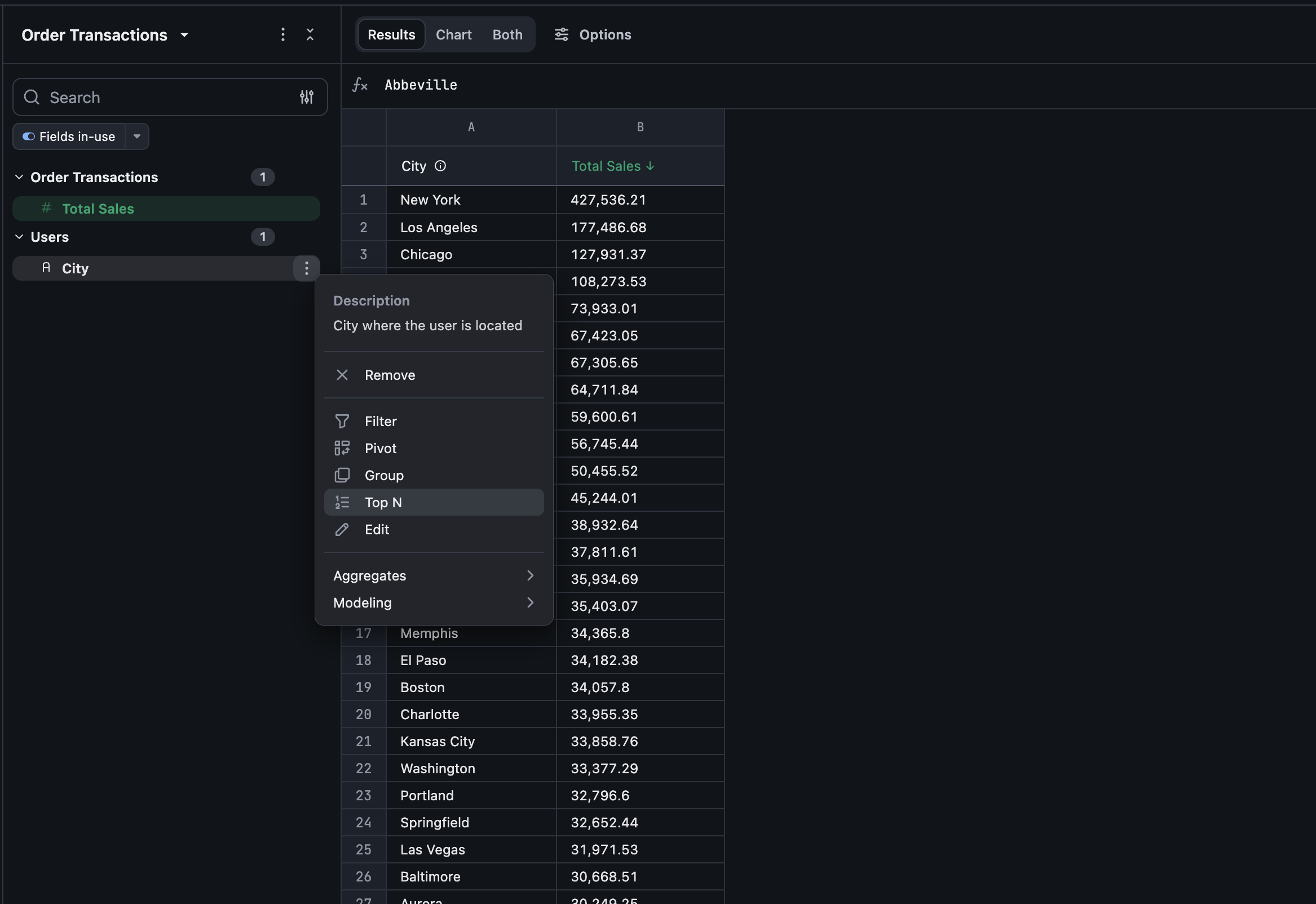
This opens the same configurator used for Custom Groups, pre-set to Top N values mode.
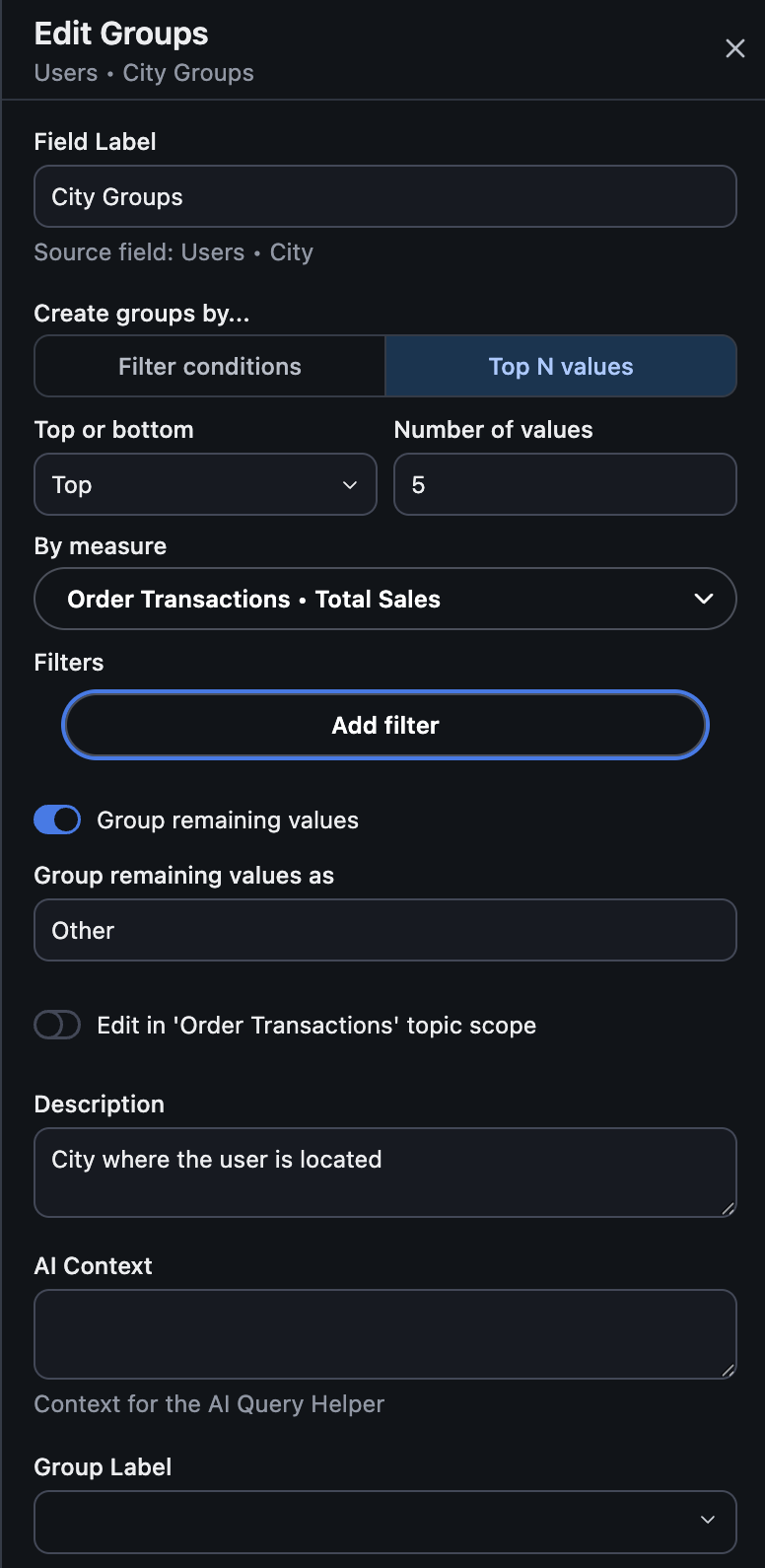
Configure:
- Top or bottom: rank by the highest values (Top) or lowest values (Bottom).
- Number of values: how many values (N) to keep.
- By measure: the single measure to rank by. Top N ranks by exactly one measure at a time.
- Filters: optional field-level filters applied before ranking (e.g. only rank based on this year’s orders). Period-over-period and “filter by query” aren’t supported here.
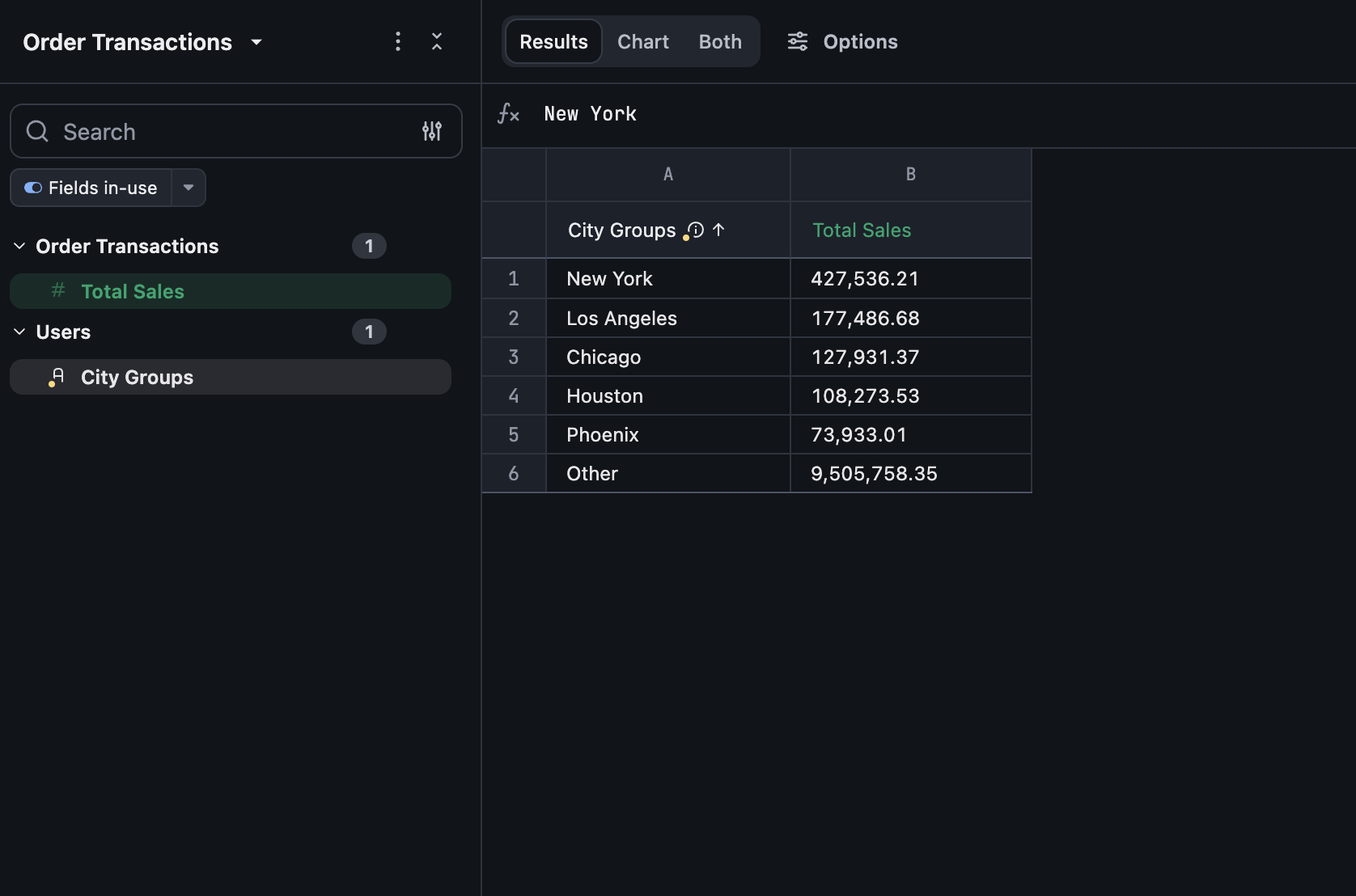
- Group remaining values: on by default — every value outside the top/bottom N is grouped into one row, labeled “Other” (rename it under Group remaining values as). Turn this off to exclude those values from the result entirely instead of grouping them.
Once saved, the field behaves like any other dimension — add it to a query, chart it, filter by it, and so on.
Limitations
Section titled “Limitations”- Top N ranks by exactly one measure. To rank by a combination of measures, create a custom measure that combines them first, then rank by that.
- A Top N field can’t have its own custom sort order, since it’s already sorted by its ranking measure. Other fields can still sort by referencing a Top N field.
- Top N fields can’t be created from another Top N field.
Letting viewers change N on a dashboard
Section titled “Letting viewers change N on a dashboard”Map a Top N limit control to the field so dashboard viewers can adjust N without editing the underlying query.