Archiving and restoring content
When you no longer need a workbook or dashboard, you can archive it by moving it to the trash. In JustAsk, archiving a document means moving it to the trash. Archived documents aren’t deleted — they remain recoverable from the Trash page.
Requirements
Section titled “Requirements”Editor, Manager, or Owner permissions are required to archive and restore archived documents.
If you own personal content that has been shared organization-wide from My Documents, you retain archive and restore rights on that content even after sharing it with the organization.
Archiving documents
Section titled “Archiving documents”When you archive a document, the document’s workbook and dashboard will also be archived.
-
In a published document (workbook or dashboard), click File > Move to trash.
-
When prompted, click Move to trash to confirm.
Restoring documents
Section titled “Restoring documents”You can restore an archived document from the Trash page.
Restoring documents from the trash
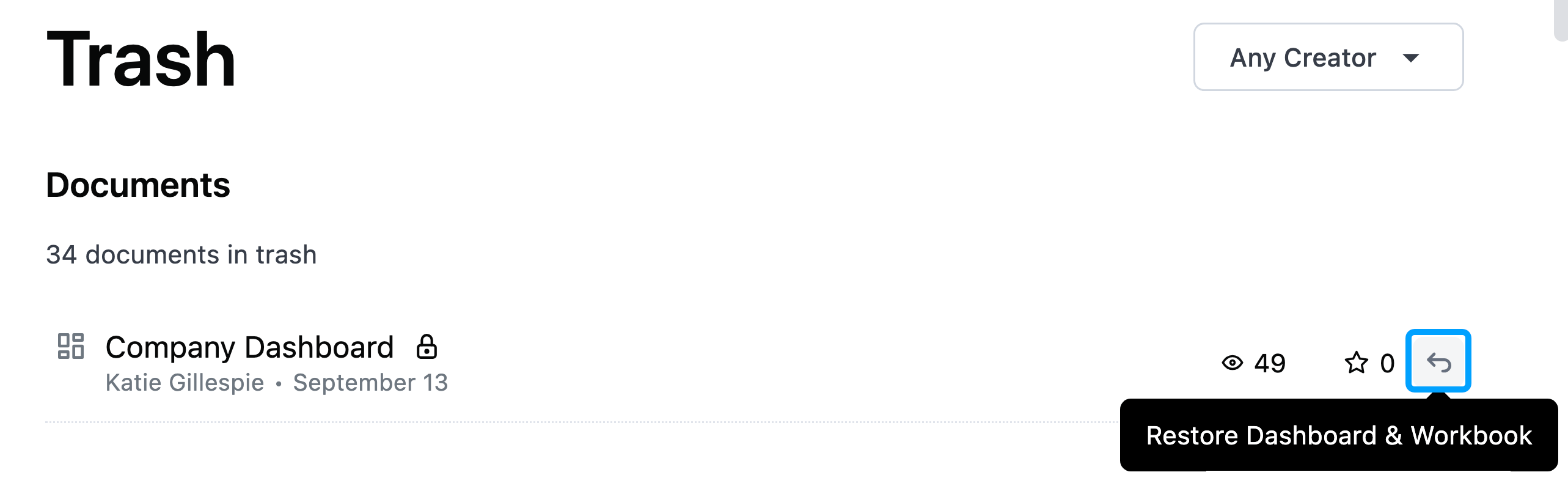
Section titled “Restoring documents from the trash”To restore a document from the Trash, click the restore arrow (highlighted in the following image) next to the content you want to restore: